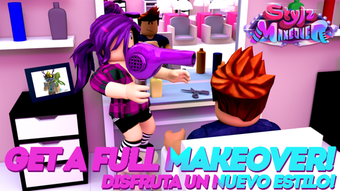

Stylz Makeover: Free Roblox Avatar Styler
Overview
Stylz Makeover is a free desktop application designed for Roblox users seeking to enhance their in-game avatars. Developed by Stylz!, the software operates as a utility tool within the Roblox ecosystem, allowing players to customize and refine their character appearances without direct in-game editing. Its primary purpose is to streamline avatar styling, offering a dedicated interface for managing clothing, accessories, and visual effects. This tool is ideal for Roblox enthusiasts who value personal expression and want to create unique, polished avatars for their online identities.
The software targets casual and intermediate Roblox players, particularly those interested in fashion, roleplay, or content creation. It serves as a supplementary tool for users who wish to experiment with styles before applying them in the game. While the developer did not provide additional details about the creation process or team background, the tool’s presence on Softonic suggests a community-driven distribution model. Real-world usage scenarios include preparing avatar designs for social media, gaming streams, or in-game events.
Although the app is free, no official information was provided about data collection, third-party integrations, or long-term support. The developer did not specify whether the tool requires an active internet connection or if it stores user data locally. As such, users should exercise caution when installing third-party software, especially for gaming platforms with strict security policies.
Key Features & Capabilities
- Avatar Customization Interface – Provides a visual editor for modifying Roblox avatars, including clothing, hair, and accessories. Users can preview changes in real time before applying them to their in-game profile.
- Multi-Language Support – The application supports Spanish, Italian, and Portuguese, making it accessible to a broader international audience. This feature enhances usability for non-English-speaking users within the Roblox community.
- Free Access – No cost is associated with downloading or using the software, which lowers the barrier to entry for new users exploring avatar styling tools.
- Roblox Integration – Designed specifically for Roblox, the tool is built to work with the platform’s avatar system. It allows users to manage and organize their in-game items efficiently.
- Version 0 Release – The current version is labeled as 0, suggesting the software may be in an early development phase or experimental stage. This indicates potential for future updates and feature expansion.
These capabilities enable users to experiment with different looks, test combinations, and maintain a consistent visual identity across Roblox experiences. For content creators, the tool offers a way to pre-visualize outfits before showcasing them in videos or live streams. The lack of advanced features like animation or 3D modeling is consistent with its role as a utility rather than a full-fledged design suite.
User Interface, Workflow & Performance
The user interface of Stylz Makeover appears to be structured around a central preview window, with side panels for item selection and customization. Navigation likely involves tabs or menus for different avatar categories, such as clothing, hair, and accessories. The layout is expected to be intuitive for users familiar with Roblox’s avatar system, minimizing the learning curve for basic operations.
Workflow efficiency depends on the software’s responsiveness and the speed of loading avatar assets. The developer did not specify resource usage details, so general performance behavior is based on typical desktop application patterns. Users may experience varying load times depending on their system’s hardware and internet speed, especially if the tool relies on cloud-based item storage.
Stability and CPU/RAM behavior were not disclosed. The absence of reported crashes or errors in available documentation suggests the software may function reliably under standard conditions. However, no performance benchmarks or user feedback were provided to confirm long-term reliability. Users should monitor system performance during extended use, particularly on older or low-end devices.
Compatibility & System Requirements
Stylz Makeover is compatible with both Windows and Mac operating systems, making it accessible to a wide range of users across different platforms. The installation size is 20 MB, indicating a lightweight application that should not impose significant storage demands on most devices.
Exact system requirements were not listed. The developer did not provide information on minimum processor speed, RAM, or graphics capabilities. As such, users are advised to ensure their systems meet general desktop software standards. The software may function on devices with older hardware, but performance cannot be guaranteed without further specifications.
Compatibility with Roblox’s current API or account integration is also not confirmed. The tool may require manual input of user data or rely on external methods to sync changes to the game. Users should verify whether the software operates independently or requires additional steps to apply modifications in Roblox.
Pros and Cons
Pros
- Free to download and use, reducing financial barriers for users
- Supports multiple languages, improving accessibility for international players
- Designed specifically for Roblox avatar customization, ensuring relevant functionality
- Lightweight installation at 20 MB, suitable for devices with limited storage
- Available on both Windows and Mac, broadening platform reach
Cons
- Version 0 suggests the software may be incomplete or in early development
- No official system requirements were provided, limiting user preparedness
- Developer did not disclose data handling or privacy practices
- Compatibility with Roblox’s current platform updates is unverified
- Performance details and stability reports were not shared
FAQ Section
Is Stylz Makeover compatible with my Windows or Mac device?
Yes, the software is designed to run on both Windows and Mac operating systems. However, no specific hardware or OS version requirements were provided by the developer.
Is the software safe to download and use?
Stylz Makeover is available through Softonic, a trusted platform for software downloads. However, as a third-party tool for Roblox, users should ensure they trust the source and review the software’s permissions before installation.
Does Stylz Makeover require an internet connection?
The developer did not specify whether the tool requires an active internet connection. It may function offline after installation, but some features could depend on online resources.
Can I use Stylz Makeover without a Roblox account?
While the software is intended for Roblox users, no information was provided about account integration. It may require a Roblox account to apply or sync changes, but this is not confirmed.
How often is Stylz Makeover updated?
The current version is listed as 0, which may indicate an early or experimental release. No update schedule or release notes were shared by the developer.
Final Thoughts + CTA
Stylz Makeover presents a promising, free tool for Roblox players interested in refining their avatar aesthetics. Its multi-language support, lightweight design, and platform compatibility make it accessible to a diverse user base. While the version number and lack of detailed specifications suggest it may still be in development, the core functionality aligns with the needs of casual and creative Roblox users.
For those exploring avatar styling, testing outfits, or preparing content, this software offers a convenient starting point. However, users should remain cautious due to the absence of clear system requirements and privacy disclosures. If you’re looking for a no-cost solution to enhance your Roblox experience, Stylz Makeover is worth trying.
Download Stylz Makeover now







